IMT Image Convert is an easy to use Mac Image Convert, to convert image formats and shrink photos to smaller size.
Learn to use IMT Image Converter to resize photo images to smaller size and convert to other formats.






IMT Image Converter is the best mac image converter app for photo resizing and image formats conversion. You will learn to use IMT Image Converter in less than 3 minutes with few steps, since the user interface is clear and easy to use.
Download and Install Image Converter
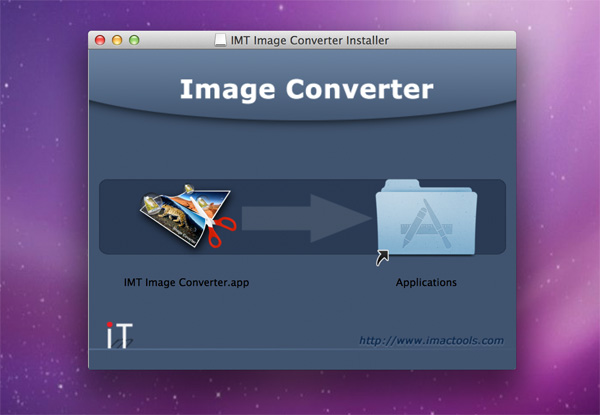
First, you need to download IMT Image Converter, unzip the downloaded zip file and mount the .dmg file if it does not be mounted automatically. Drag the icon "IMT Image Converter.app" over the icon "Applications" and drop to finish installation.
Run Image Converter
After installation, go to folder "Applications" or Launchpad and find "IMT Image Converter" icon to start.
Add Images for Resizing
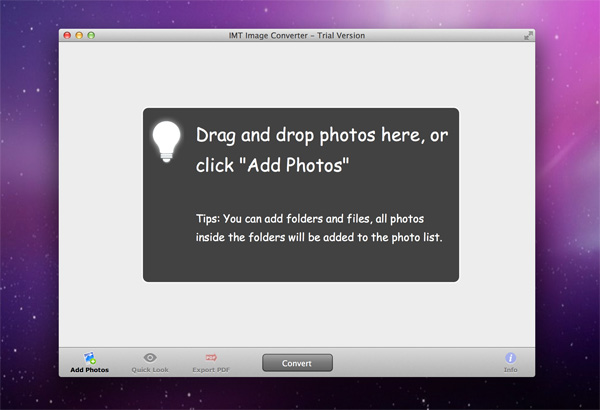
When the app starts, the processing image list is empty. You need to add photos for further processing, you can either drag image files from Finder over IMT Image Converter window and drop or click "Add Photos" button to add images to the processing list.
Preview and Manage Photos
You can review images to determine which should be converted or resized. When you choose an image in left side thumbnails, the detailed information about the image will be shown in right side info panel (Click "Info" button to show the panel if it's not visible).
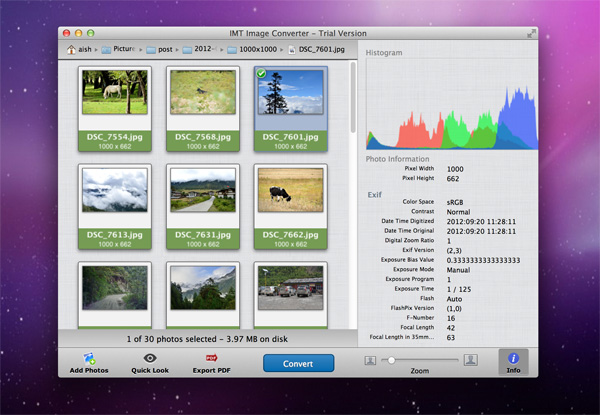
Photo Information
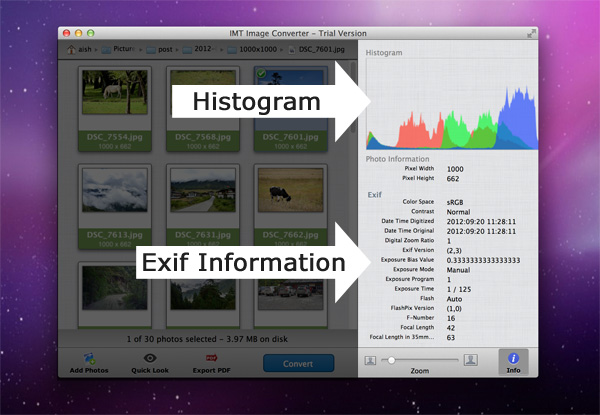
The top of the information panel is the histogram of the selected image. The bottom part shows details about the selected image, including general information and exif data.
Manage Photos
It's really easy to manage photos added to the processing list.
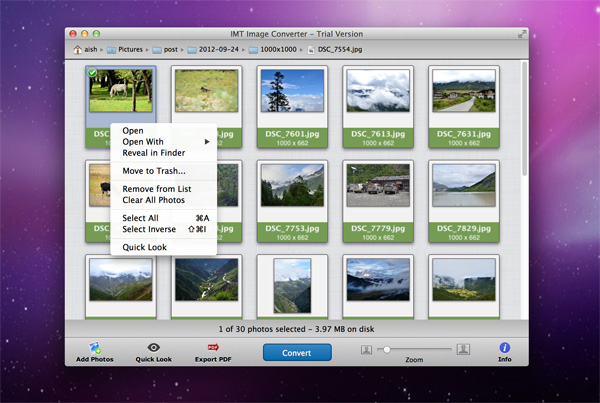
The top path navigation, shows the full path of the selected image, and you can reveal the path in Finder by double clicking.
Action Menu
Open, launch default application registered on your system to open the selected file.
Open with, choose an application from the app list to open the selected image, exactly same as Finder does.
Reveal in Finder, open the folder contains the selected file in Finder.
Move to Trash..., move the selected image files to system Trash. The files will be deleted from your disk but still exist in Trash, you can restore them in need.
Remove from List, delete the selected images from the processing image list. The files will not be deleted from your disk, you don't need to worry about losing the files.
Clear all Photos, remove all images in the processing list, which means there is no file to be handled.
Select All, select all images.
Select Inverse, reverse the selection of images, it's useful when you have too many files in the processing list.
Quick Look, will launch system quick look to view the selected images.
Resize in Batch
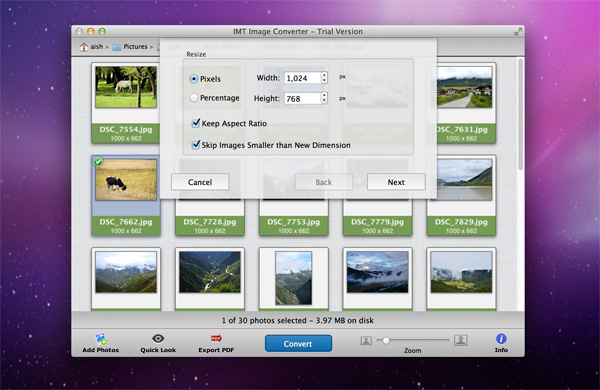
Once you decide the image selection, press "Convert" button at the center bottom of the window to start resizing. There are two methods to shrink dimensions of photos, by pixels or percentage. Give the new value for width and height of new output images, and check the "Keep Aspect Ratio" to constrain proportions. Also, if you don't want smaller images to be scaled up, just let the "Skip Images Smaller than New Dimension" checked.
Create DSLR Effects
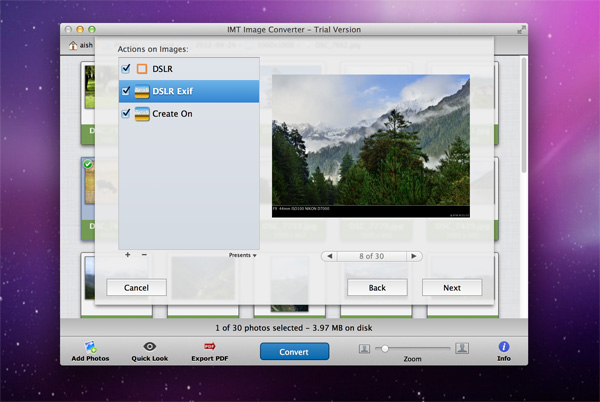
IMT Image Converter provides the easy way to add text and image watermarks and frames to images. DSLR effects is one of the most popular features for photography fans. If you need to create DSLR styled photos from digital camera. Which shows values of the camera when the photos were taken. IMT Image Converter embeds some examples along with the release, you can try and create your own.
Add Frame to Photos
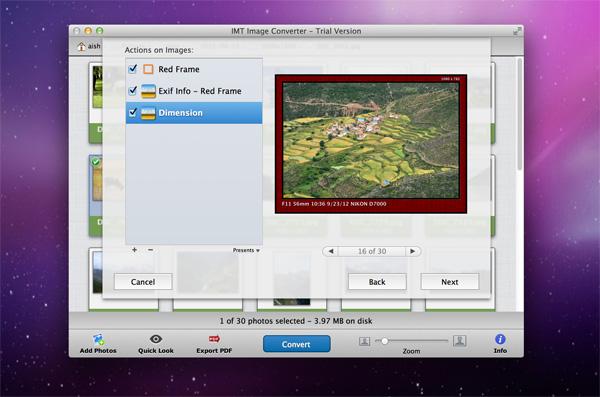
You can customize the frames as you like. IMT Image Converter provides very flexible configuration for creating frames and watermarks. You can create beautiful image add ons by yourself.
iPod, iPhone, iPad, iTunes, and Mac are registered trademarks of Apple, Inc. IMT Studio has no commercial association with Apple, Inc. or its products. Copying of music is subject to any applicable.