iTunes library always generates lots of duplicated tracks because of many reasons. Such as importing multiple files of same song with different file names or syncing with iPhone and iPod. So, we always need to make iTunes cleanup with a handy iTunes duplicates cleaner. Although, iTunes provides a way to show all duplicated tracks by choosing from menu "File->Display Duplicates", but this only can choose and delete track one by one. iCleanup is exactly such iTunes Cleanup tool made for removing iTunes duplicate tracks automatically.
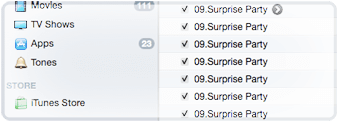
iCleanup magically checks unwanted tracks according to various indexes after finding duplicate of tracks, this is really useful to delete tons of duplicate tracks in iTunes.

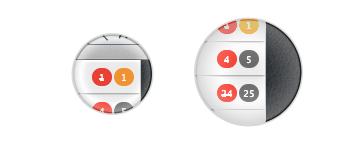
Show number of duplicates, unwanted tracks and lost dead tracks in different colors visually. Gray color indicates number of duplicates for a track. Red color indicates unwanted tracks which need to be deleted. Orange color indicates number of lost dead tracks.
iCleanup offers three ways for duplicates removal: remove, move to trash and delete permanently.
Remove only remove unwanted tracks from iTunes library, but keep the associated files.
Trash remove unwanted tracks and move the associated files to Trash.
Delete delete associated files permanently.