iCopyAssistant is an iPhone file explorer that transfer music and files to mac computer.iCopyAssistant is an iPhone file explorer that transfer music and files to mac computer.
Ready for Latest iPhone and iOS
Supports all iPhones, iPads and iPods
Requires: macOS 10.12 or later
Exploring and Managing the file system are the most basic uses of iCopyAssistant. You can easily browse and download the file system and application documents on the iPhone device to your computer. iCopyAssistant also supports file copy between iPhone devices, which is done by copying and pasting.
Of course, you can also upload files from your computer to your iPhone, especially when the application supports document reading and writing.
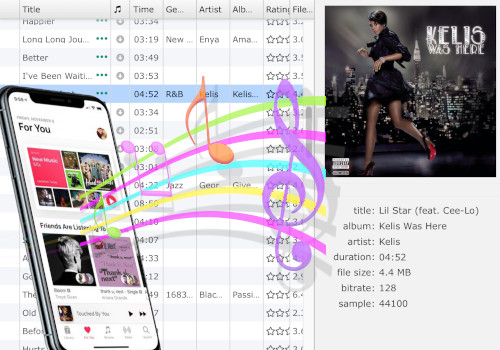
In many cases, you need to copy songs and videos from your iPhone to your computer, such as when you need to upgrade your iPhone. If the songs in the iPhone are not on the computer you used to sync before, you will lose those favorite songs and videos.
iCopyAssistant can quickly copy music and videos to your computer, and if necessary, iCopyAssistant can also automatically add songs and videos that do not exist in the local music library to the local music library at the same time.
You can choose to copy all music or songs in a playlist. You can even choose to automatically create a playlist in the local music library based on the iPhone and add the copied music to the playlist.
Voice memos may sometimes be very important to you, so you need to download the voice memos on your iPhone to your computer for other purposes. For iCopyAssistant, downloading voice memos on iPhone is very simple, just plug your iPhone into the USB port of your computer, open iCopyAssistant, and find "Recordings" under the name of your iPhone, and then just copy ordinary files.
In many cases, you need to copy songs and videos from your iPhone to your computer, such as when you need to upgrade your iPhone. If the songs in the iPhone are not on the computer you used to sync before, you will lose those favorite songs and videos.
You only need to select your favorite songs from your computer or iPhone music library, choose the most favorite segment, and then select "Add to iPhone".

iPod, iPhone, iPad, iTunes, and Mac are registered trademarks of Apple, Inc. IMT Studio has no commercial association with Apple, Inc. or its products. Copying of music is subject to any applicable.